 Shark Week Tracker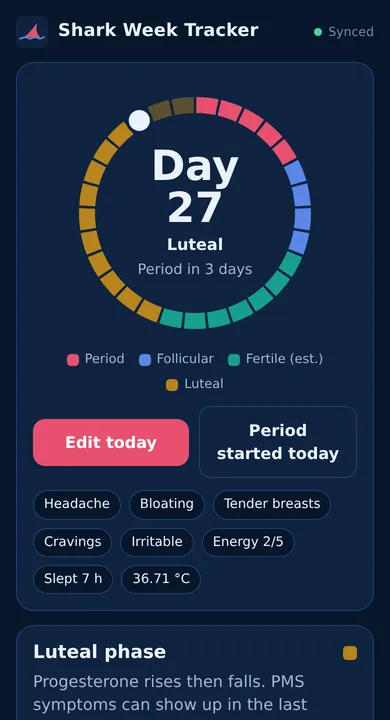
See what your cycle is doing to your energy, mood and body
Shark Week Tracker is built for understanding your health across the whole month, not just predicting a due date.
Predictions that learn
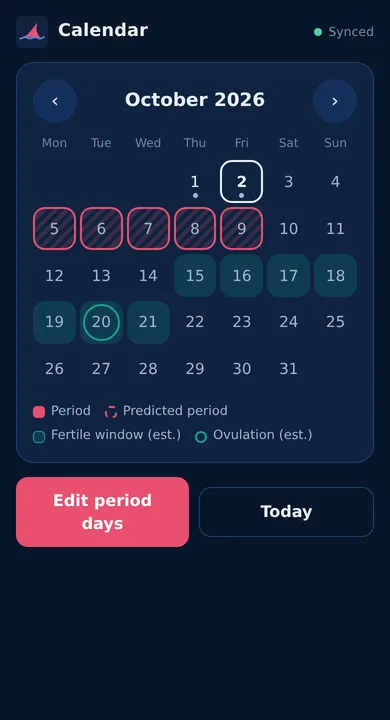
Your next period, phase and estimated fertile window from your own cycle history, with late-period alerts.
Log in seconds
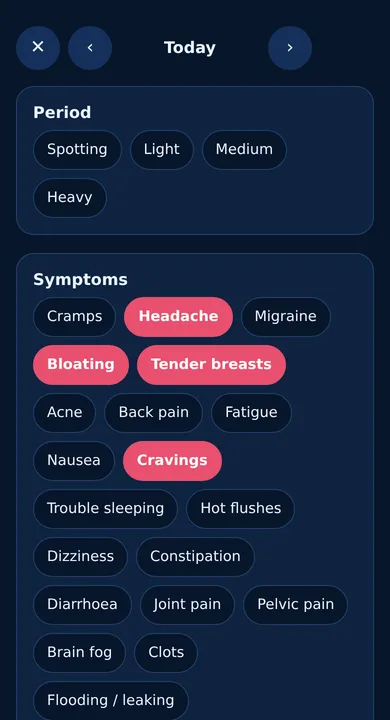
Flow, 20 symptoms, pain, mood, energy, stress, sleep, temperature, cervical mucus, exercise, water, caffeine, medicines and notes.
Patterns you can use
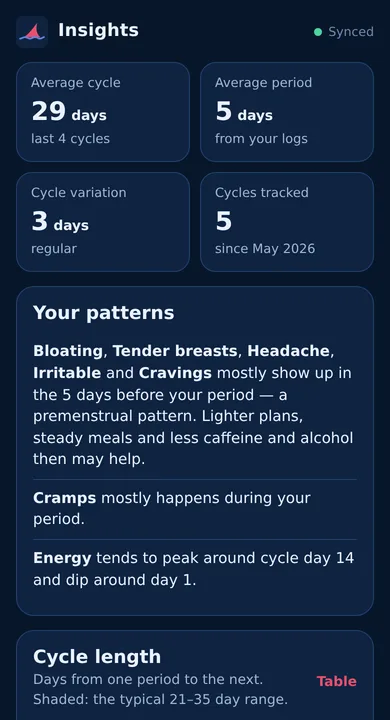
A symptom map shows when headaches, bloating or cravings tend to hit, with plain-English notes like "mostly in the 5 days before your period".
Tips for every phase
Training, food and sleep ideas for your period, follicular, ovulation and luteal phases, so you can plan around how you'll feel.
Temperature charts
Log your morning temperature and the app spots the rise that shows ovulation has happened.
Sleep report
On Android, Shark Week can estimate when you fell asleep and woke up from when your screen was off, and show how your sleep changes across your cycle. It never reads which apps you use.
Partner heads-up
Optional: give your partner a private link to a playful "Shark Week forecast" with the countdown, what you usually feel and how they can help. You get a nudge to warn them before it starts.
Ready for your GP
Gentle flags for things worth checking (very long cycles, heavy or painful periods) and a printable summary to take to your appointment.
Clear, calm and quick to use
Built so we can't read your data
Period data is some of the most personal information there is. So we designed the app so it never reaches us in a form anyone can read.
- End-to-end encryptedEverything you log is locked on your device with AES-256 before syncing. Even the dates you logged are hidden.
- No ads, trackers or data sellingNo analytics, no third-party scripts, no advertising IDs. We only ask for your email.
- Australian privacy lawHandled under the Privacy Act and Australian Privacy Principles, with the database stored in the Oceania region.
- You're in controlDownload everything as a file, sign out other devices, or delete your account and all data instantly.
- Open sourceCheck how it works yourself on GitHub.
How your data stays private
Your phone turns your password into an encryption key. The password itself never leaves your device.
Each day is encrypted before it's saved or synced.
Our server can't read it, and neither could anyone who broke in.
On a new phone or computer, your password unlocks your data on that device.
The trade-off: if you forget your password and lose your recovery code, nobody can unlock your data, including us.
Start tracking in a minute
One account works everywhere. Log on your phone, check charts on your laptop.
Android app
Download APK- Tap Download APK on your Android phone (Android 10 or newer).
- Open the downloaded file. If Android asks, allow your browser to install apps.
- Open Shark Week, create an account and save your recovery code.
The app checks for updates and offers new versions automatically. Includes period reminders and a privacy screen. All releases are also on GitHub.
iPhone, iPad & computers
Open the web app- Open the web app in Safari (iPhone) or any browser.
- On iPhone, tap Share then Add to Home Screen to use it like an app.
- Sign in with the same account as your other devices.
Works offline once opened. Updates arrive automatically.
Know someone who'd like it?
Send them the link, or let them scan the code with their phone camera.

Good to know
Is it really free?
Yes. No subscription, no ads and no selling data. It's a small independent Australian project.
Can I use it as contraception?
No. Fertile window and ovulation dates are estimates based on averages and can be wrong. Shark Week Tracker is a wellbeing tool, not a medical device or contraceptive.
What happens if I forget my password?
If you're still signed in on another device, reset it there and keep everything (Me → Forgot your password?). Or use the recovery code you saved at sign-up. If you've lost both, we can email you a reset link. Your account stays, but your old logs can't be unlocked, because they're encrypted with your old password.
What does my partner see?
Only what you choose: a countdown to your next period, whether it's started, and (if you allow it) your usual symptoms with tips on how to help. Never fertility information, and never your daily logs. Switch it off and the link stops working.
Why isn't it on Google Play?
Not yet. For now you install it directly from this site. It's signed with the same key every release, and Android checks that each update comes from us.
Where is my data stored?
Encrypted on your device, and as encrypted data in a Cloudflare database set to the Oceania region. Read the Privacy Policy for the details.
I'm worried about my symptoms. What should I do?
Talk to your GP, or call healthdirect on 1800 022 222 (24/7). In an emergency call 000. The app flags patterns worth mentioning to a doctor, but it can't diagnose anything.